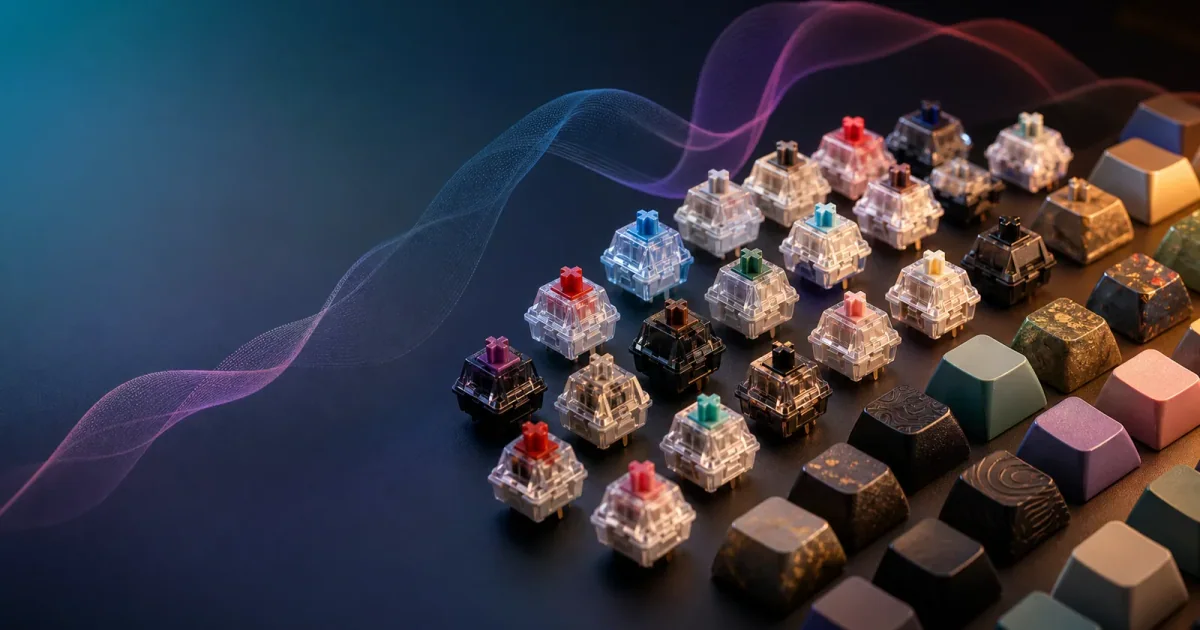
Mechanical Keyboard Sound Simulator: Short Answer
A mechanical keyboard sound simulator can replace the sound of a mechanical keyboard, but not the physical switch feel. It is a good choice when you want clicky, thocky, or typewriter-style typing feedback on your Mac without buying a louder keyboard. Klakk is built for that use case: it plays private mechanical-style sounds when you type, so your MacBook or quiet keyboard can feel more satisfying while the room stays quiet.
If your goal is a heavier key press, deeper travel, or a tactile bump under your finger, buy or test real hardware. If your goal is the sound experience, a simulator is cheaper, more flexible, and safer for shared spaces.
What A Keyboard Sound Simulator Actually Does
A keyboard sound simulator listens for key events and plays a short audio sample for each press. The better ones feel immediate, vary sounds enough to avoid a robotic loop, and let you control volume so the effect supports your work rather than taking over the room.
That makes the simulator a layer on top of your existing keyboard. Your MacBook keyboard still has the same travel. Your external keyboard still has the same switches. What changes is the feedback you hear.
This distinction matters because many people search for “mechanical keyboard sound simulator” with two different expectations:
| Expectation | Can a simulator do it? | Notes |
|---|---|---|
| Make typing sound mechanical | Yes | This is the core job |
| Make a MacBook keyboard feel like switches | No | Sound changes, physical feel does not |
| Keep clicky sound private | Yes | Use headphones or earbuds |
| Preview sound styles before buying hardware | Yes | Useful for learning preferences |
| Reduce actual keyboard noise | Indirectly | Use quiet hardware plus simulated sound |
| Replace tactile switch feedback | No | You need hardware for force and travel |
Klakk focuses on the “yes” side of the table. It gives Mac users the emotional and rhythmic part of mechanical typing without forcing the social cost of real clicky switches.
Types Of Mechanical Keyboard Sound Simulators
Not every simulator solves the same problem. Before choosing one, decide whether you want a toy, a listening tool, or a daily typing layer.
| Simulator type | Best for | Limitations |
|---|---|---|
| Web soundboard | Quick switch sound demos | Usually not tied to real typing across apps |
| ASMR video | Background mood | Not synchronized with your own keys |
| Desktop sound app | Daily typing feedback | Needs clear permissions and good latency |
| Real mechanical keyboard | Feel, force, travel, desk sound | Costs more and can be loud |
| Klakk on Mac | Private synchronized typing sound | Does not change physical switch feel |
For Mac users, the practical choice is usually between a real keyboard and a desktop sound app. A web demo can teach vocabulary, but it rarely changes the daily typing experience.
Why Sound And Feel Get Confused
Mechanical keyboards are popular because they combine several types of feedback: sound, travel, resistance, and sometimes a tactile or clicky event. CHERRY describes common MX switch families by characteristics such as linear, tactile, clicky, actuation force, and pre-travel in its switch overview: CHERRY MX switches at a glance.
Software can imitate the sound part. It cannot change the spring under the key, the stabilizers, the keycap material, or the switch stem. That is not a flaw; it is the tradeoff. A simulator is not pretending to be a hardware mod. It is a way to add sound feedback where hardware would be inconvenient, expensive, or too loud.
When A Simulator Is Better Than Hardware
A mechanical keyboard sound simulator is often the better first choice when your workspace matters as much as your typing preference.
Shared Offices
Clicky switches can be satisfying to the typist and exhausting to everyone nearby. A simulator lets you keep a quiet keyboard on the desk and put the mechanical sound in your headphones.
Libraries And Study Spaces
Students often want a little feedback while studying, but real mechanical keyboard noise can be inappropriate. Klakk plus headphones keeps the reward private.
Late-Night Work
If you write or code after other people are asleep, the best setup is usually a quiet physical keyboard and private audio feedback.
MacBook Travel Setups
Traveling with a full mechanical keyboard is not always worth the bag space. A keyboard sound app gives your MacBook a more playful typing feel anywhere you work.
Testing Sound Preferences
Before buying a keyboard because a video sounded good, test whether you actually enjoy clicky or deep typing sounds during real work. Sound demos are fun; a two-hour writing session is more honest.
When Hardware Is Still The Right Choice
Buy or test a real mechanical keyboard if the main problem is your fingers, not your ears. A simulator cannot create longer travel, heavier actuation, a tactile bump, split ergonomics, hot-swappable switches, or a different layout.
Hardware is also better if you want the sound to exist in the room. Some people enjoy hearing the real desk sound from keycaps, plate, case, and switches. Klakk is meant for users who want personal sound feedback, not a public acoustic object.
Latency Is The Most Important Quality Test
The simulator has to feel connected to your hands. If the sound arrives late, your brain treats it like a separate effect instead of feedback. That is why a good keyboard sound app should be designed around fast playback and lightweight key-event handling.
When testing a simulator, do not only click around the settings screen. Open a real document and type normally. Try:
- A fast sentence with punctuation.
- A paragraph with corrections and backspaces.
- A coding or note-taking task with navigation keys.
- A quiet five-minute session with headphones.
If you notice the sound lagging, repeating mechanically, or becoming harsh, the app is not doing its job.
Sound Realism: What Actually Matters
Realism is not only about recording a nice click. A simulator feels believable when timing, variation, volume, and key balance work together.
Timing
The sound has to arrive with the key press. A beautiful sample that arrives late feels fake.
Variation
Repeated identical clicks can feel robotic. Useful sound packs vary enough that a sentence feels alive rather than looped.
Key Balance
Space, Return, Shift, and Backspace should not dominate. In real typing, those keys are common, so exaggerated big-key sounds become tiring quickly.
Context
A sound that feels excellent in a demo may be too sharp for a library or too heavy for long writing. Always test with the work you actually do.
Privacy And Permission On Mac
On macOS, a keyboard sound simulator needs a way to know when a key was pressed. Apple explains that Input Monitoring controls apps that can monitor keyboard, mouse, or trackpad input while you use other apps: Apple Support: Control access to Input Monitoring on Mac.
This permission is normal for a system-wide typing sound app, but it should be explained clearly. The reason Klakk needs it is straightforward: key press timing is required to trigger sound in sync. You should be able to understand the permission before granting it, and you should be able to revoke it in System Settings if you stop using the app.
Volume, Headphones, And Safe Listening
Mechanical-style typing sounds are most useful when they are subtle. Loud simulated clicks can become tiring and may encourage unsafe listening habits if you are trying to cover background noise. The World Health Organization’s safe-listening guidance emphasizes reducing risk from high sound levels and long listening duration: WHO Making Listening Safe.
For Klakk, the practical advice is simple:
- Start quieter than you think you need.
- Use softer sound packs for long sessions.
- Use headphones in shared spaces.
- Take breaks if your ears feel tired.
- Do not turn keyboard sounds up just to compete with loud surroundings.
The best simulator setup is one you can forget about because it feels natural.
Choosing A Sound Style
Different work modes call for different sounds:
| Work mode | Better sound direction | Why |
|---|---|---|
| Writing | Soft, warm, steady | Keeps rhythm without stealing attention |
| Coding | Crisp, controlled | Makes short bursts feel responsive |
| Studying | Gentle, low volume | Avoids fatigue during long sessions |
| Morning planning | Slightly brighter | Adds energy to low-stakes tasks |
| Late-night work | Softest available | Keeps the room and your head calm |
If you are not sure what you like, avoid choosing the loudest click first. Many people enjoy bright clicky sounds in demos but prefer softer sounds while doing real work.
Buying Path: Simulator Before Keyboard
A simulator is especially useful before a hardware purchase. Instead of guessing from YouTube videos, test your own reaction to typing sound during writing, coding, study, and late-night work.
Use this path:
- Try Klakk with your current Mac keyboard.
- Start with balanced or soft sound packs.
- Test a clickier sound for short bursts.
- Decide whether sound alone solves the problem.
- Buy hardware only if you still want physical switch feel.
This avoids the common mistake of buying a loud keyboard for the sound, then discovering that the places you work most often require quiet.
Related Guides
- Keyboard sound app for Mac
- Best Mac keyboard sound apps in 2026
- Mechanical keyboard vs sound simulator
- Cherry MX switch comparison
- Keyboard ASMR for focus
FAQ
Is a mechanical keyboard sound simulator realistic?
It can be realistic enough for sound feedback, especially through headphones. It will not recreate physical switch travel, weight, or tactile feel.
Can Klakk make my MacBook keyboard sound like a mechanical keyboard?
Yes. Klakk can play mechanical-style sounds when you type on your MacBook or external keyboard. Your keyboard still physically feels the same.
Is a simulator better than buying a mechanical keyboard?
It is better when you mainly want sound, privacy, and low cost. A real mechanical keyboard is better when you want different physical feel.
Can coworkers hear the simulated keyboard sounds?
Only if your Mac audio output is audible. Use headphones in offices, libraries, classrooms, and shared homes.
Why does Klakk need Input Monitoring?
Klakk needs Input Monitoring so it can detect key press timing and play the matching sound immediately. That permission is managed by macOS in System Settings.
Try Klakk
Want mechanical keyboard sounds without a louder desk setup? Download Klakk on the Mac App Store, try it free for 3 days, and unlock full access with a $4.99 one-time purchase if you want to keep using it.