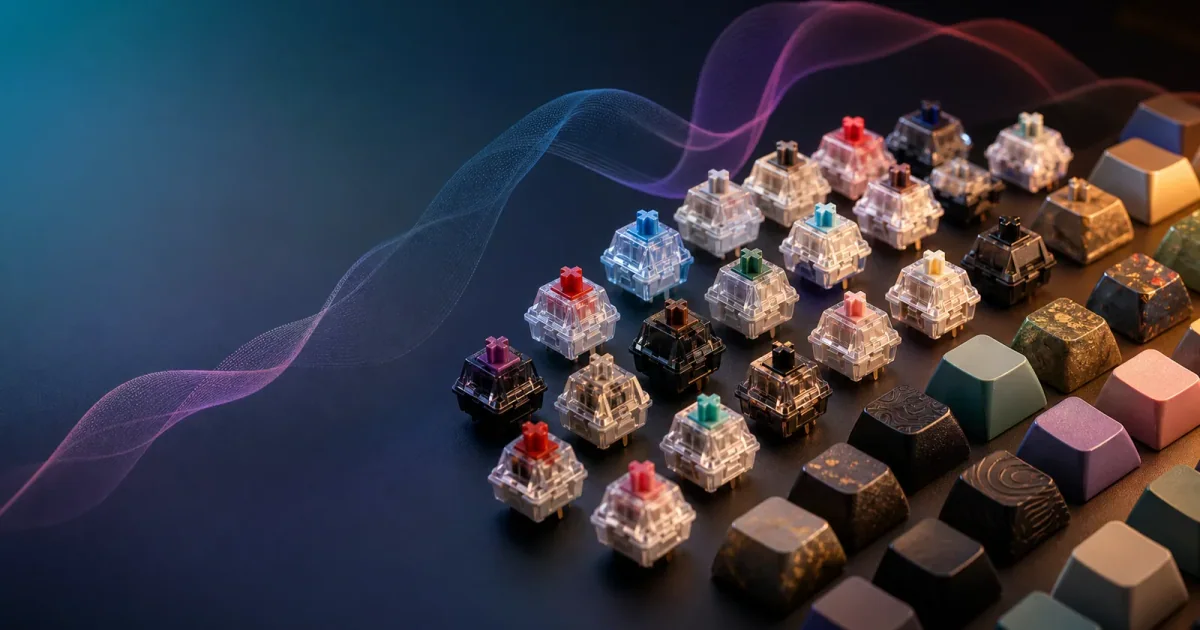
Cherry MX Switches Comparison: Short Answer
If you are comparing Cherry MX switches, start with sound and feel. Cherry MX Blue is the loud clicky option, Brown is the balanced tactile option, Red is the smooth light linear option, and Black is the heavier linear option. Silent Red is the safer office pick when you want real switches with less public noise. If the part you mainly want is the mechanical keyboard sound, Klakk lets Mac users try switch-style typing sounds privately before buying hardware.
The simplest rule:
- Choose Blue if you want clicky feedback and work alone.
- Choose Brown if you want a tactile bump for mixed typing.
- Choose Red if you want smooth, lighter linear keys.
- Choose Black if you want a heavier linear press.
- Choose Silent Red if you care about shared-space noise.
- Choose Klakk if sound is the part you want and your current keyboard feels fine.
Cherry MX Switch Comparison Table
| Switch | Type | Feel | Sound | Best for | Shared-space risk |
|---|---|---|---|---|---|
| Cherry MX Blue | Clicky | Tactile click | Loud, sharp click | Solo typing, people who love audible feedback | High |
| Cherry MX Brown | Tactile | Light bump | Moderate | Writing, coding, mixed work | Medium |
| Cherry MX Red | Linear | Smooth and light | Mostly bottom-out sound | Gaming, fast typing, lighter touch | Medium-low |
| Cherry MX Black | Linear | Smooth and heavier | Deeper bottom-out | Firm typists, fewer accidental presses | Medium |
| Cherry MX Silent Red | Silent linear | Smooth and dampened | Quieter than regular Red | Offices, night work, shared homes | Low |
| Cherry MX Speed Silver | Linear short travel | Fast and light | Moderate | Gaming and rapid actuation | Medium |
CHERRY’s own switch overview describes MX switches by characteristics such as linear, tactile, clicky, actuation force, and pre-travel, and lists common colors including Red, Brown, Blue, and Black: CHERRY MX switches at a glance. CHERRY also groups switch families and product variants on its official switch page: CHERRY Switches.
Choose By Workspace, Not Only By Color
Switch color is a starting point, not a complete buying answer. The right switch depends on where you type, how hard you press, and whether other people share the room.
| Workspace | Safer Cherry MX direction | Why |
|---|---|---|
| Private writing desk | Blue, Brown, Red | You control the room noise |
| Open office | Silent Red, quieter linear/tactile boards | Clicks can distract coworkers |
| Library or classroom | Avoid loud mechanical sound | Even moderate bottom-out can carry |
| Late-night shared home | Silent Red or quiet keyboard + Klakk | Keeps others asleep |
| MacBook-first workflow | Klakk before hardware | Tests sound without adding desk noise |
If you are choosing a switch because of sound, separate “I like hearing it” from “everyone else has to hear it.” That one distinction prevents most bad office keyboard decisions.
Cherry MX Blue vs Brown
Blue is the obvious “mechanical keyboard sound” choice. It has a tactile event and an audible click. That makes it fun for some writers, but difficult around coworkers, roommates, calls, and quiet rooms.
Brown is the safer middle ground. You still get a tactile bump, but without the same click mechanism. It will not be silent, because the keyboard case, keycaps, stabilizers, and your typing force still create sound. But compared with Blue, Brown is usually easier to live with in mixed environments.
Choose Blue if the sound is part of why you want the keyboard and you control the room. Choose Brown if you want feedback but need to be more considerate.
Cherry MX Red vs Brown
Red is linear. It does not have a tactile bump. The key press feels smoother from top to bottom, which many gamers and fast typists like. The sound is less about the switch click and more about bottoming out: the keycap, switch, plate, and case meeting the desk setup.
Brown gives you a small bump that helps some typists feel when a key has actuated. If Red feels too empty, Brown may feel more intentional. If Brown feels scratchy or distracting, Red may feel cleaner.
Choose Red for smoothness. Choose Brown for a little more feedback.
Cherry MX Red vs Blue
Red and Blue are very different. Red is smooth and relatively restrained. Blue is clicky and expressive. If you are choosing between them for an office, Red is the safer answer. If you are choosing for a solo writing desk and you love audible feedback, Blue can be more satisfying.
The important question is not “which sounds better in a video?” It is “which one can I use for hours in the place where I actually work?”
Black, Silent Red, And Speed Silver
Black is a heavier linear switch. It can suit people who press firmly or dislike accidental key presses, but some users find it tiring for long writing sessions.
Silent Red is the practical quiet-work choice. It keeps a linear feel but uses dampening to reduce travel impact. It is still not magic; the board, desk, and typing force matter. But if office noise is the concern, it is a better hardware direction than Blue.
Speed Silver is a shorter-travel linear switch. It is often chosen for fast actuation, especially by gamers. For writers, the shorter actuation can feel sensitive.
Why Two Keyboards With The Same Switch Sound Different
The switch is only one part of keyboard sound. A Cherry MX Red in one keyboard can sound different from a Cherry MX Red in another because of:
- Keycap material and thickness.
- Case material and internal foam.
- Plate material.
- Stabilizer quality and lubrication.
- Desk surface and desk mat.
- Whether you bottom out hard.
- Microphone or video recording setup.
This is why buying from sound demos alone can disappoint. A switch name is useful, but it is not the whole acoustic system.
How To Test Cherry MX Sounds Before Buying
Videos are useful for learning the vocabulary of clicky, tactile, and linear switches, but they are not a perfect preview. Microphones, desks, cases, and editing all change the sound.
Before buying, run a practical test:
- Decide whether you want feel, sound, or both.
- If sound is the main goal, test similar sound profiles with Klakk during real work.
- If feel is the main goal, try a switch tester or keyboard in person.
- Consider the room where the keyboard will live most often.
- Choose the quietest acceptable option for shared environments.
For many Mac users, this reveals that the sound craving can be solved in software, while the physical keyboard can stay quiet.
Where Klakk Fits
Klakk is not a replacement for switch feel. It will not turn a MacBook keyboard into a Cherry MX Brown. What it can do is help you test the sound side of the experience privately on Mac.
That matters if you are mainly chasing audio feedback. You may discover that you like clicky sounds during short demos but prefer softer sounds during real work. Or you may learn that a private software sound is enough, so you do not need to bring a loud keyboard into a shared room.
| If you want… | Choose… |
|---|---|
| Real tactile bump and switch travel | Hardware |
| Private clicky sound in headphones | Klakk |
| Quiet office typing with physical switches | Silent Red or quiet keyboard |
| A low-cost sound trial before buying | Klakk |
| A public desk sound | Mechanical keyboard |
Related Guides
- Keyboard sound app for Mac
- Mechanical keyboard sound simulator guide
- Quiet keyboard alternatives for offices
- How to make a mechanical keyboard quieter
- Best Mac keyboard sound apps
FAQ
Which Cherry MX switch is quietest?
Among the common options discussed here, Silent Red is usually the safest quiet choice. Regular Red is less clicky than Blue, but it can still make bottom-out and case noise.
Is Cherry MX Blue too loud for an office?
Often, yes. Blue switches are intentionally clicky. In open offices, shared homes, libraries, and calls, they can be distracting.
Should I choose Cherry MX Brown or Red?
Choose Brown if you want a tactile bump. Choose Red if you want a smoother linear press. If sound is the main thing you care about, test sound profiles with Klakk before buying hardware.
Are Cherry MX switches better than other switches?
CHERRY is a major mechanical switch maker with a long history, but “better” depends on feel, sound, keyboard build, and preference. Do not judge only by brand or color.
Can Klakk simulate Cherry MX sounds?
Klakk can give you mechanical-style typing sounds on Mac so you can explore sound profiles privately. It does not change the physical switch feel.
Test Keyboard Sounds Before Buying
Try Klakk on the Mac App Store if you want to compare typing sound styles before spending money on a mechanical keyboard. Use the 3-day free trial to test sounds during real work, not only in a demo.